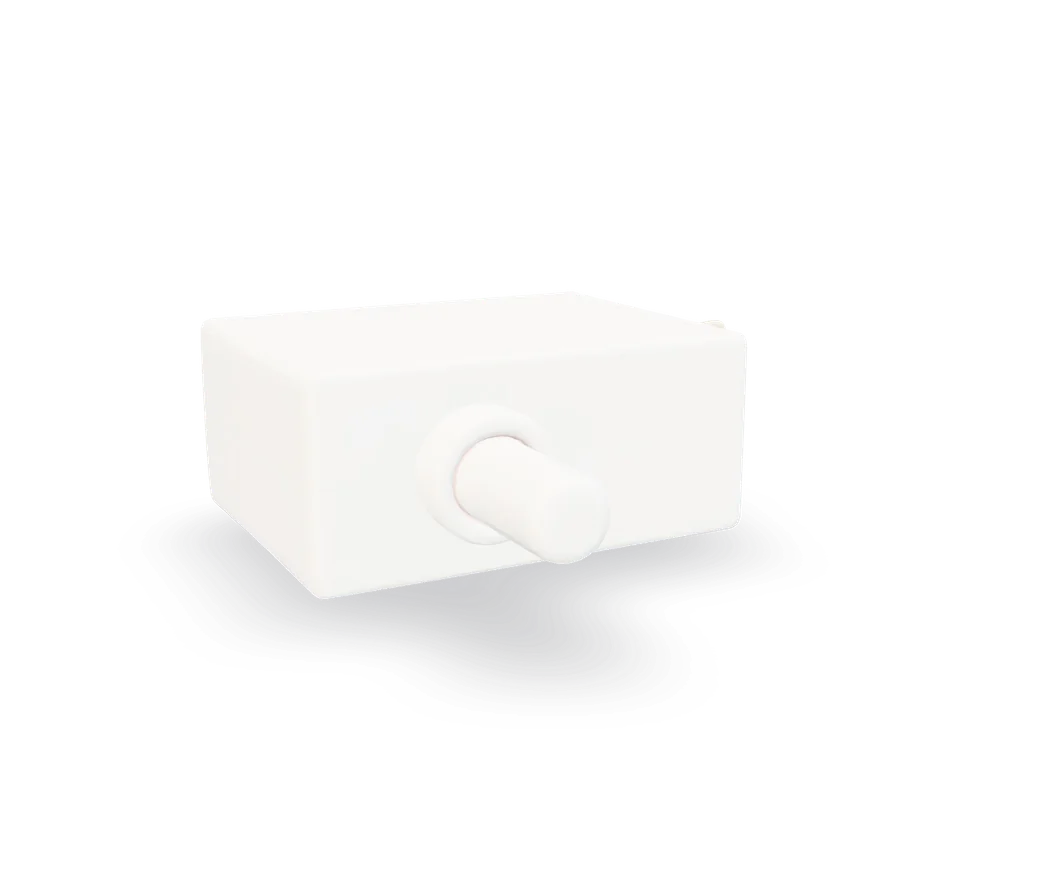
Refrigerator door switch test and replacement
Light stays on with the door shut, or never comes on at all? It is usually a small plunger switch that pops out of the door frame.
- Difficulty
- Anyone can do it
- Time
- 10–20 min
- Typical part cost
- $5–$45Pro: $60–$120
- Tools
- 3See the list
Usually it pries out of the frame, unplugs and plugs in. Some are held by a single screw.
What it does
What the door switch does
When the door opens, the plunger pops out and the light comes on. When the door closes, it presses the plunger in and the light goes off.
On many refrigerators the same switch also stops the evaporator fan while a door is open, so it does not blow cold air into the kitchen. A two-wire switch runs only the light; a four-wire switch runs the light and the fan.
Why it fails
The contacts inside wear out, so the light flickers or the switch stops changing state.
The plunger sticks in or out, often from spills or age.
Symptoms
Signs of a bad door switch
Light stays on with the door shut
The bulb's heat warms the top shelf and makes the refrigerator run more. Try the switch by hand: if pressing it does not turn the light off, it is stuck.
Light never comes on
Check the bulb first. If a new bulb still does not light when the door opens, the switch is next.
Fridge warm, fan never runs
On models where the switch controls the evaporator fan, a switch stuck in the door-open position keeps the fan off, so the fresh-food section warms up.
Full diagnosis
How to test it
Test the door switch before you buy
- Open the door and find the switch on the cabinet frame, where the door touches it.
- Press it in and let it out a few times. Watch the light and listen for the fan in the freezer.
- Good
- The light goes off when pressed and on when released, every time, and the fan starts when pressed. The switch works. Check that the door actually presses it when closed.
- Bad
- The light does not follow the switch, or it flickers. Test it with a meter or replace it.
- Unplug the refrigerator, pry the switch out and disconnect its wires.
- Touch the probes to the light terminals. Read it with the plunger out, then pressed in.
- On a four-wire switch, test the other pair the same way.
A good switch typically shows
The reading changes between open and continuity as you press the plunger
Typical range. Check your part label or manual for the exact spec.
- Good
- Each pair switches cleanly between open and closed.
- Bad
- A pair reads the same pressed and released, or flickers. Replace the switch.
Safety first
Before you touch anything
- 1
Unplug the refrigerator
The switch carries household voltage to the light. Unplug before you pry it out.
Tools you'll need
Grab these first
Tool and part links are affiliate links. We may earn a commission at no extra cost to you, and it never changes what we tell you to check first. How this works
- Putty knifeStiff, 1-1/2 in.A plastic putty knife pries the switch out without scratching the liner.Typically $5–$12Shop this tool
- Multi-bit screwdriverPhillips, flat, squareSome switches are held by a screw.Typically $10–$25Shop this tool
- Digital multimeterΩ, V, µF, µAChecks whether the switch opens and closes as you press it.Typically $25–$60Shop this tool
Step by step
How to replace the door switch
- 1
Unplug the refrigerator
Pull the plug at the wall, or switch off its breaker.
- 2
Pry the switch out
Slide a plastic putty knife under the switch's edge and gently pry it out of the frame. If you see a screw, remove that first.
- 3
Disconnect the wires
Photograph the wires, then pull them off the terminals or unplug the connector. Do not let the wires slip back into the hole; a piece of tape on them helps.
- 4
Connect the new switch
Match the new switch to the old one, connect the wires to the same terminals, and press it into the frame until it clicks in place.
Buy the part
Door switch
Opens Amazon in a new tab. Where’s my model number?
What to look for
- Your model number, since the shape, plunger length and number of terminals vary.
- The same number of terminals as the old one: two for light only, four for light and fan.
- 5
Power up and check
Plug the refrigerator in. Press the switch by hand and watch the light go off and on, then close the door and check it stays dark.
Buy the part
Get the right replacement
Buy the part
Door switch
Opens Amazon in a new tab. Where’s my model number?
What to look for
- Your model number, since the shape, plunger length and number of terminals vary.
- The same number of terminals as the old one: two for light only, four for light and fan.
Know your limits
When to call a pro
Stop and call a pro if
- The light stays on even with a new switch and the door closing properly.
- The wiring behind the switch is melted or scorched.
FAQ
Door switch questions
The light stays on. Could it be the door, not the switch?
Yes. If the door sags or the gasket holds it away from the frame, it may not press the plunger far enough. Press the switch by hand: if the light goes off, the switch is fine and the door needs adjusting.
Can a door switch make the fridge warm?
Yes, two ways. A light that stays on adds heat. And on models where the switch also runs the evaporator fan, a switch stuck in the door-open position keeps the fan off.
My refrigerator has no plunger. Where is the switch?
Some refrigerators use a magnetic sensor hidden in the frame instead. Those need the part listed for your model, and are usually unplugged from behind a trim piece.
Related
Keep going
- SymptomFreezer cold but fridge warmThe freezer still freezes but the fresh-food section warms up. All the cold comes from one coil in the freezer, so this usually means air is not moving: a stopped evaporator fan, an iced-over coil, or a blocked vent.Open guide
- SymptomRefrigerator not coolingThe freezer and the fresh-food section are both too warm. The usual causes are a dirty condenser coil, a stopped condenser fan, a failed start relay or an iced-over evaporator coil. The sealed system is the last thing to suspect, not the first.Open guide
- Refrigerator partEvaporator fan motorThe evaporator fan blows the freezer coil's cold air around the freezer and into the fresh-food section. When it stops, the freezer can stay cold while the fridge warms up. It is usually a few screws and one plug.Open guide
- Refrigerator partDoor gasketThe door gasket is the soft magnetic seal around each door. When it tears, hardens or pulls away, warm air leaks in: you get condensation, frost near the door and a refrigerator that runs and runs.Open guide
Get the next fix before it breaks
A short email when the seasons turn: filters to change, detector batteries to check, and new repair guides. No spam, unsubscribe any time.
We send it with Kit. Privacy