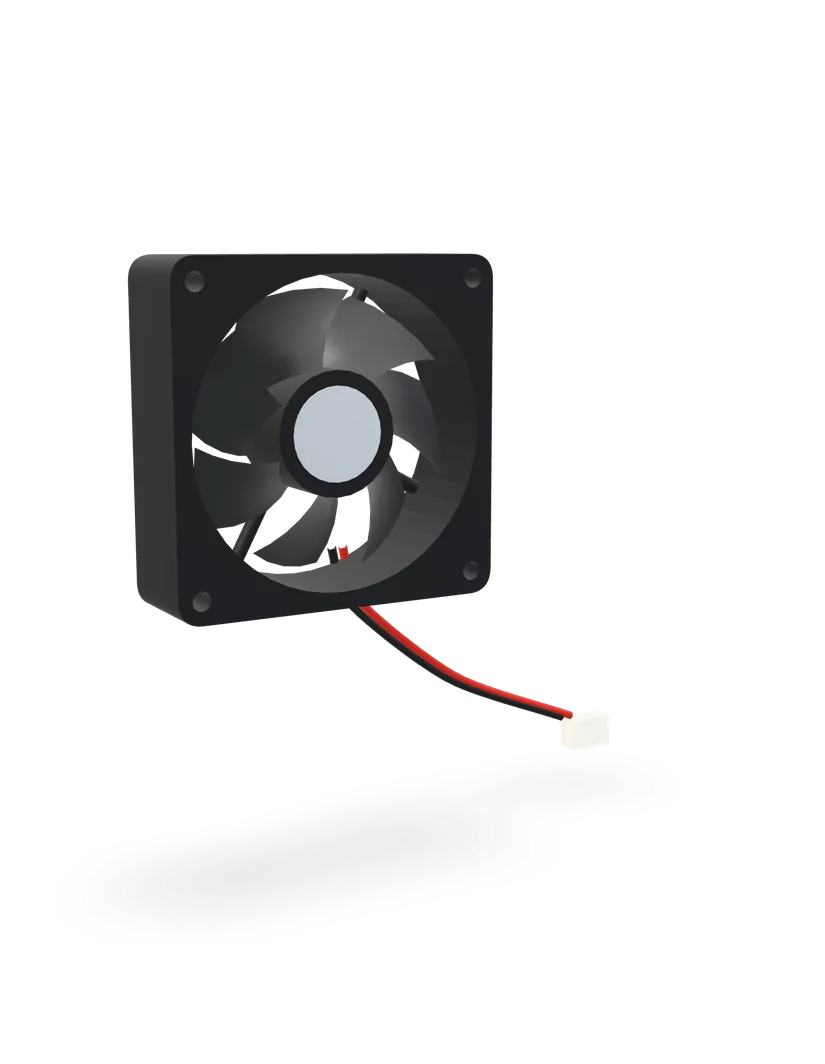
French-door refrigerator ice box fan test and replacement
Freezer fine, but the door ice maker has slowed to a crawl? The small fan that feeds it freezer air may have stopped. Rule out ice first, then it is a cover, a plug and a few screws.
- Difficulty
- Moderate
- Time
- 30 min–1.5 hr
- Typical part cost
- $50–$130Pro: $100–$250
- Tools
- 2See the list
The fan itself is a plug and a few screws. Reaching it can mean taking off a cover or two, and on some models the freezer drawer first.
What it does
What the ice box fan does
The in-door ice maker needs air well below freezing, and the only place that air comes from is the freezer. A duct carries it from the freezer to the left door, and ports where the door meets the cabinet let it into the ice box while the door is closed.
A small fan moves that air. Where it sits depends on the model: in the cabinet wall beside the ice box ports, behind a cover in the freezer near the evaporator, or in a housing in the ice box itself. Your model's parts diagram shows which.
Why it fails
The motor wears out, or ice or frost grabs the blade. A blade frozen in place often runs again once the ice is melted, and the real problem is the moisture getting in.
Less often, the fan is fine and the control board stops sending it power.
Symptoms
Signs of a bad ice box fan
Slow or no ice, freezer fine
The freezer holds temperature, but the in-door ice maker makes little or no ice. The cold air is not reaching the ice box.
Full diagnosisSoft, clumped ice
The cubes in the bin melt together or the bin freezes in place. The ice box is running too warm or too damp.
Full diagnosisFrost around the fan cover
Frost or ice builds up on the fan cover or the ports by the ice box. It can lock the blade.
How to test it
Test the ice box fan before you buy
- Unplug the refrigerator and open the left door.
- Look at the ports where the ice box meets the cabinet wall and at the fan cover. Note any frost or ice.
- Good
- Clear and dry. Go on to the spin test.
- Bad
- Iced up. Melt it first, then run the refrigerator for a day. If ice comes back, find the air leak: the ice box seal, the door gasket and the center flap.
- With the refrigerator unplugged, take off the fan cover (steps below).
- Turn the blade gently by hand.
Checking for power at the fan's plug means working with the refrigerator plugged in. Leave that to a technician.
- Good
- It turns freely. If the fan still does not run when the refrigerator is on and calling for ice, the motor or the control is the suspect.
- Bad
- Stiff, grinding or wobbly: replace the fan.
Safety first
Before you touch anything
- 1
Unplug the refrigerator
Pull the plug at the wall. The fan can start on its own, and its connector is live with the refrigerator plugged in.
- 2
Melt ice, do not chip it
Never pry at ice with a screwdriver or knife. On models where the fan sits by the evaporator, the fins are sharp and a punctured tube is a sealed-system repair.
Tools you'll need
Grab these first
Tool and part links are affiliate links. We may earn a commission at no extra cost to you, and it never changes what we tell you to check first. How this works
- Multi-bit screwdriverPhillips, flat, squareFan covers and fan mounts are usually Phillips screws.Typically $10–$25Shop this tool
- Nut driver1/4 in. hexOptionalSome covers use 1/4 in. hex screws.Typically $6–$15Shop this tool
- Needle-nose pliersOptionalHelps unclip a tight connector and route the wires through their clips.Typically $8–$20Shop this tool
- Hair dryerLow heat settingOptionalMelts frost around the fan on low heat without warping the plastic.Typically $15–$30Shop this tool
- HeadlampThe light is off once the refrigerator is unplugged.Typically $12–$30Shop this tool
Step by step
How to replace the ice box fan
- 1
Unplug it and clear the way
Unplug the refrigerator. Open the left door, take out the ice bin, and move any food in the way to a cooler.
Check your model's parts diagram for where the fan is. If it sits behind the freezer's back wall, you will also take out the freezer basket and drawer first.
- 2
Take off the fan cover
Remove the screws around the cover over the fan and the duct. Some covers have several screws around the edge and a clip or two.
Ease the cover off. If a wire runs to it, for a light or a sensor, unplug that first.
Tip. Take a photo before you pull anything. It saves guesswork going back together.
- 3
Melt any frost
If the fan housing is frosted or frozen in, melt it with a hair dryer on low, kept moving, or with a small fan blowing room air in. Towels down for the water.
Careful. No heat gun and no sharp tools on the ice.
- 4
Unplug and remove the fan
Follow the fan's wires to its connector and unplug it. Then remove the screws that hold the fan or its bracket and lift it out.
Note how the wires run through their clips. The new fan's wires go the same way.
- 5
Match the new fan
Check the part number against your model. Many are sold as a whole fan assembly with its housing, and some kits come with new foam gaskets for the duct.
Compare the plug, the mounting holes and the direction the air blows with the old fan.
Buy the part
Ice box fan
Opens Amazon in a new tab. Where’s my model number?
What to look for
- Your model number. Ice box fans differ in size, plug and mounting from model to model.
- The part number on the old fan's label.
- Whether the part is the bare fan or a full assembly with its housing, and whether gaskets are included.
Aftermarket versions exist for some models and cost less. Match the part number to your model before you buy.
- 6
Install it
Screw the new fan in place and plug its connector in until it clicks. Route the wires through the same clips so nothing touches the blade.
If the kit came with gaskets, peel the backing and press them firmly onto the housing where the old ones were, starting at a corner.
Spin the blade by hand. It should turn freely.
- 7
Refit the cover and power up
Reconnect any wire to the cover, refit it and its screws, and put the ice bin and any freezer parts back.
Plug the refrigerator in and close the doors. Give the ice maker a day to catch up, and throw out the first batch or two.
Buy the part
Get the right replacement
Buy the part
Ice box fan
Opens Amazon in a new tab. Where’s my model number?
What to look for
- Your model number. Ice box fans differ in size, plug and mounting from model to model.
- The part number on the old fan's label.
- Whether the part is the bare fan or a full assembly with its housing, and whether gaskets are included.
Aftermarket versions exist for some models and cost less. Match the part number to your model before you buy.
Know your limits
When to call a pro
Stop and call a pro if
- The new fan does not run with the refrigerator on and the ice maker calling for ice. The control board or wiring may be at fault.
- Frost keeps building around the fan or the ice box ports after you have checked the seals.
- The fan sits behind the evaporator cover and you see damaged fins, oily residue or a bent tube.
FAQ
Ice box fan questions
Is the ice box fan the same as the evaporator fan?
No. The evaporator fan moves cold air around the whole refrigerator. The ice box fan only feeds the ice box in the door. If the freezer is cold but the ice maker is slow, look at the ice box fan. If the fresh-food section is warm too, look at the evaporator fan first.
The blade was frozen in ice. Do I need a new fan?
Maybe not. Melt the ice and spin the blade. If it turns freely and the fan runs again, the fan is fine. Find out why moisture got in: a door gasket, the ice box door seal or the center flap.
Where is the ice box fan on my refrigerator?
It depends on the model. It can be in the fresh-food section's left wall next to the ice box, behind a cover in the freezer, or in a housing inside the ice box. The parts diagram for your model number shows it.
Related
Keep going
- SymptomFrench-door ice maker jammed or frozen upFrench-door refrigerators with the ice maker in the left door only. Ice clumps in the bucket, frost builds up in the ice box, or the dispenser grinds and gives nothing. Clear the jam first, then find why: a stopped ice box fan, a frozen fill tube or a leaky seal.Open guide
- SymptomRefrigerator ice maker not making iceThe ice maker makes no ice, or only small, hollow cubes. Check the shut-off arm, the water supply and the freezer temperature first. After that, the water inlet valve and the ice maker itself are the parts that fail.Open guide
- Refrigerator partIn-door ice makerFrench-door refrigerators only. The ice maker sits in an insulated ice box on the inside of the left door, fed by cold air from the freezer. A switch or a shut-off arm stops it when the bin is full. Before you buy one, check the switch, the water and the ice box for frost.Open guide
- Refrigerator partEvaporator fan motorThe evaporator fan blows the freezer coil's cold air around the freezer and into the fresh-food section. When it stops, the freezer can stay cold while the fridge warms up. It is usually a few screws and one plug.Open guide
- Refrigerator partDoor gasketThe door gasket is the soft magnetic seal around each door. When it tears, hardens or pulls away, warm air leaks in: you get condensation, frost near the door and a refrigerator that runs and runs.Open guide
Get the next fix before it breaks
A short email when the seasons turn: filters to change, detector batteries to check, and new repair guides. No spam, unsubscribe any time.
We send it with Kit. Privacy